
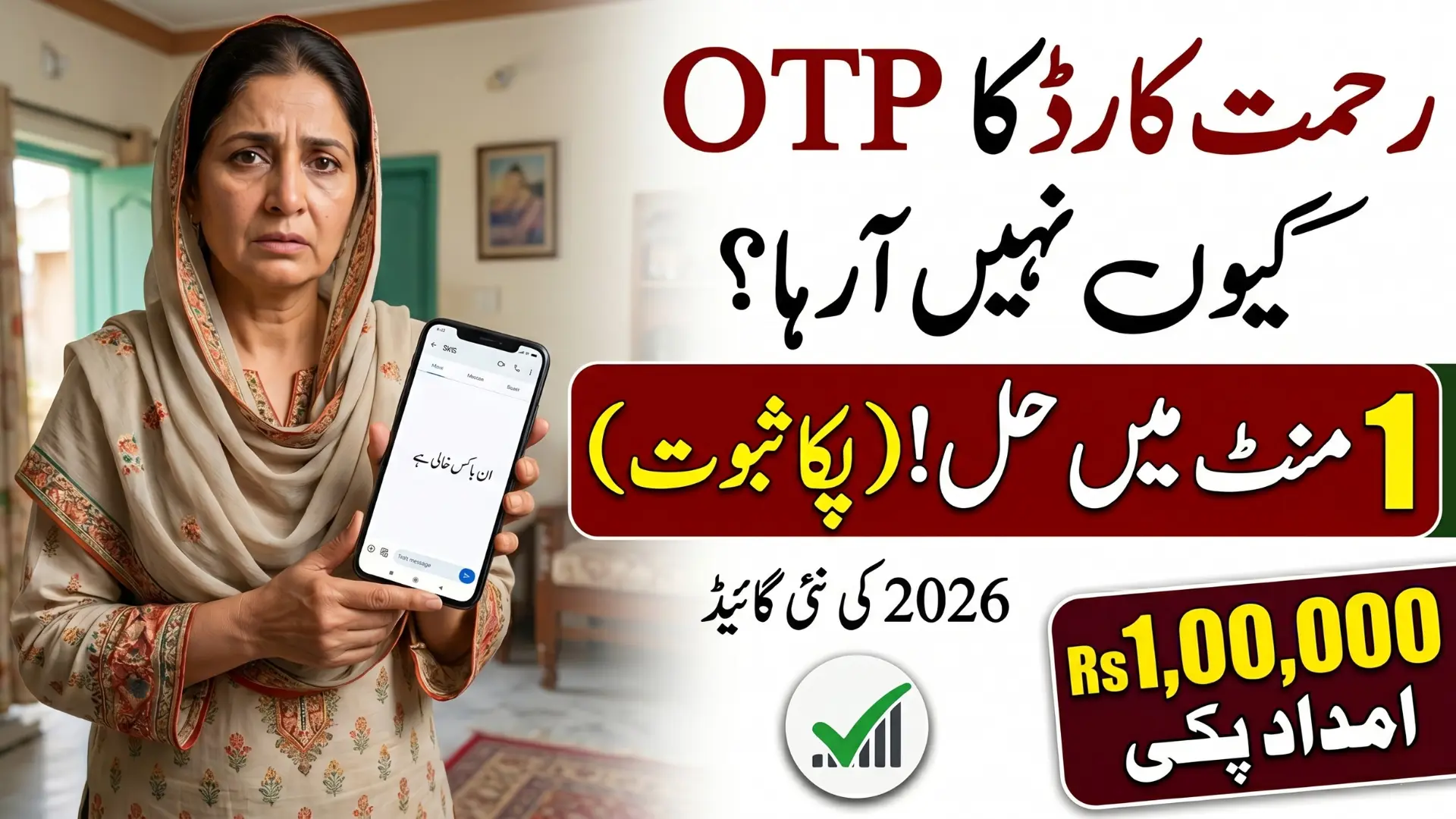
If you are facing the Rehmat Card OTP not received problem, you are not alone, this is a frustrating but very common issue during CM Punjab Rehmat Card 2026 registration, and it is almost always fixable. This program offers PKR 1,00,000 each to widows and orphans across Punjab, making successful registration critically important.
Whether your SIM is not registered in your own name, your inbox is full, DND is blocking messages, or the portal is under maintenance, every reason has a clear solution. In this complete 2026 guide, we will walk you through the real causes and give you instant fixes that actually work.
What Is the Rehmat Card and Why Does OTP Matter?
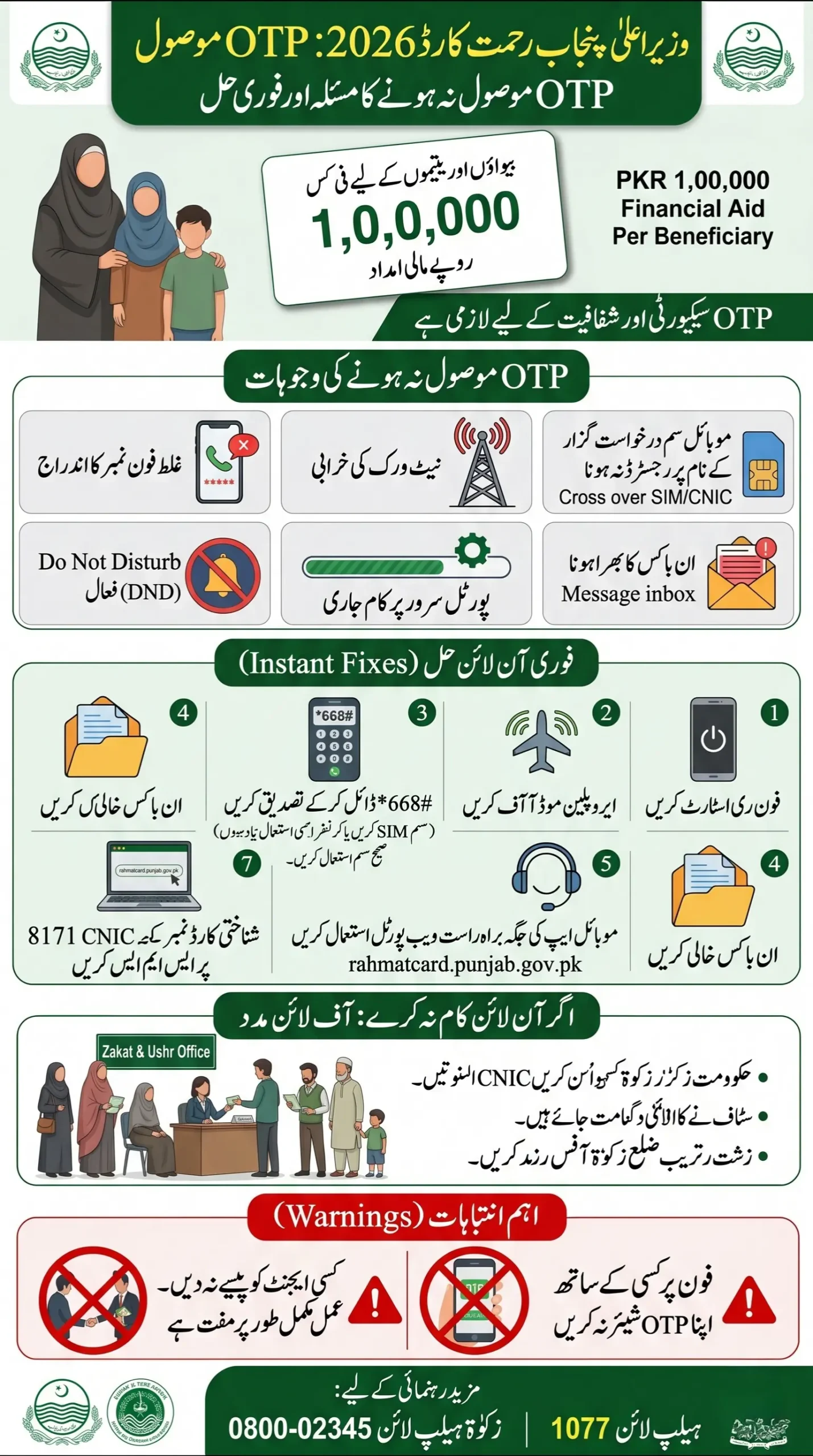
The CM Punjab Rehmat Card, also widely known as the Bewa Sahara Card, is a government welfare program designed to support the most vulnerable households across Punjab. For 2026, the program offers:
| Beneficiary | Financial Support |
|---|---|
| Widows (Bewas) | PKR 1,00,000 |
| Orphans | PKR 1,00,000 |
This is not a small amount. For many families, this money means school fees, medical bills, and basic food on the table. That is why the registration process uses OTP verification — it is a security layer to make sure the right person is getting the right benefit, and nobody else is misusing someone’s CNIC.
So if your OTP is not arriving, your registration is essentially stuck at the door. You need to fix this before you can move forward.
Quick Info — Rehmat Card OTP Not Received
| Detail | Information |
|---|---|
| Program Name | CM Punjab Rehmat Card 2026 |
| Also Known As | Bewa Sahara Card |
| Benefit Amount | PKR 1,00,000 per eligible beneficiary |
| Official Portal | rahmatcard.punjab.gov.pk |
| Main Helpline | 1077 |
| Alternate Helpline | 0800-02345 (Zakat & Ushr Department) |
| SMS Verification | Send CNIC to 8171 |
| e-Khidmat Helpline | 0800-09100 or 1317 |
| Offline Option | Nearest District Zakat & Ushr Office |
The Real Reasons Your OTP Is Not Coming
Before you panic or assume something is wrong with your application, understand this, OTP failure is almost always a technical issue, not an application rejection. Here are the actual reasons:
1. Your SIM Is Not Registered in Your Own Name
This is the number one cause. The government’s verification system cross-checks the mobile number with CNIC ownership. If the SIM you are using is registered under your husband’s name, your brother’s name, or anyone else, the OTP system may not process it correctly. Your SIM must match your own CNIC.
2. Network Congestion or Poor Signal
The Rehmat Card portal receives thousands of applications at the same time. During peak registration hours, network servers get overloaded and SMS delivery gets delayed, sometimes by 10 to 20 minutes, sometimes longer. A weak signal in your area makes this worse.
3. You Entered the Wrong Phone Number
It sounds simple, but it happens more than you think. A missing digit, an extra space, or one wrong number, and the OTP goes to a completely different person. Double-check what you entered during registration.
4. DND (Do Not Disturb) Is Active on Your SIM
Many people activate DND to block telemarketing calls and messages. The problem is, DND also blocks automated service messages, including OTPs from government portals. If you have DND on, your Rehmat Card OTP will never reach you.
5. Your SMS Inbox Is Full
Old phones and basic handsets have limited storage. If your message inbox is completely full, your phone physically cannot receive new messages. The OTP gets sent but has nowhere to land.
6. Portal Server Is Under Maintenance
The 2026 registration portal sometimes goes into scheduled or emergency maintenance, especially during high traffic periods. During this time, OTPs either do not generate or get stuck in the queue.
Read More: Petrol Subsidy Withdrawal New Process: Step-by-Step Guide for Punjab and Sindh Applicants in 2026
Rehmat Card OTP Not Receiving Instant Fixes
You do not need to go to any office to solve most of these problems. Try these steps one by one:
Step 1 — Restart Your Phone First
Before anything else, simply switch your phone off and turn it back on. This clears temporary network errors and refreshes your connection to the mobile tower. Many people get their OTP immediately after a simple restart.
Step 2 — Use Airplane Mode Trick
Turn Airplane Mode ON. Wait 10 seconds. Turn it OFF. This forces your phone to reconnect to the nearest tower and refresh signal strength. It is a fast and effective fix for most network-related OTP delays.
Step 3 — Verify Your SIM Ownership
Check whether the mobile number you used during registration is registered in your own CNIC. You can do this by:
- Dialing *668# from your SIM to check registration details (Jazz/Telenor/Zong/Ufone may vary)
- Visiting any nearby mobile network franchise with your original CNIC
If the SIM is not in your name, you need to either get it transferred or use a different number that is registered under your CNIC.
Step 4 — Clear Your SMS Inbox
Delete old and unnecessary messages from your inbox. If your phone had no storage left, this alone will allow the OTP to come through when you request it again.
Step 5 — Deactivate DND on Your Number
Call your mobile network customer service and specifically ask them to remove all service blocks and DND settings:
- Jazz: 111
- Telenor: 345
- Zong: 310
- Ufone: 333
Tell them clearly: “Mujhe government OTP messages nahi aa rahe, DND hatwa dein.” They will fix it within minutes.
Step 6 — Try the Portal Instead of the App
If you were using a mobile app and the OTP is not arriving, switch to the official web portal directly: rahmatcard.punjab.gov.pk
Sometimes the app version has bugs during high traffic, but the web portal works fine.
Step 7 — Send Your CNIC to 1317
This is important. Send your 13-digit CNIC number (without dashes) as an SMS to 1317. This will confirm whether your registration is already in the system or not. If you are already registered, your application may have already gone through before the OTP issue started.
Also Read: 8171 Registration 2026 Reopen- Comeplete Process for New Applicants in 2026
Warning Signs You Should Not Ignore
- If someone is calling you claiming to be from the Rehmat Card office and asking for your OTP, do not share it. This is a scam. The government never asks for OTP over phone calls.
- Avoid third-party websites or agents who claim to process your Rehmat Card application for a fee. The official process is completely free of cost.
- Do not submit multiple applications thinking it will speed things up. Duplicate entries can cause your application to get flagged and rejected.
Still No OTP? Go Offline — It Works
If you have tried everything above and still nothing is working, the offline route is your best friend. Punjab government has set up District Zakat & Ushr offices across the province specifically for situations like this.
Walk in with your original CNIC, explain the situation, and the staff will assist you with the application process directly. No OTP, no internet, no stress.
You can also reach out through these official channels:
- Main Helpline: 1077 (available during office hours)
- Zakat & Ushr Department: 0800-02345
- e-Khidmat Markaz: 0800-09100 or dial 1317
- Official Portal: rahmatcard.punjab.gov.pk
Final Words
The Rehmat Card OTP issue is frustrating, we understand that. When you are waiting for financial support that your family genuinely needs, even a small technical block feels like a big deal. But the truth is, this problem is almost always solvable within minutes.
Check your SIM registration. Clear your inbox. Turn off DND. Restart your device. And if all else fails, just walk into the nearest Zakat office with your CNIC and get it done in person. The PKR 1,00,000 support is there for you. Do not let a missed OTP stop you from claiming what you are entitled to.